ikas
Connect an ikas store to YourSizer with a private app's Client ID and Client Secret. Catalogue, variants and stock sync through the Admin GraphQL API, order and return webhooks are registered, and the storefront loader is installed for you.

 YourSizer Live
 ResReturn Live
 NoShot Planned
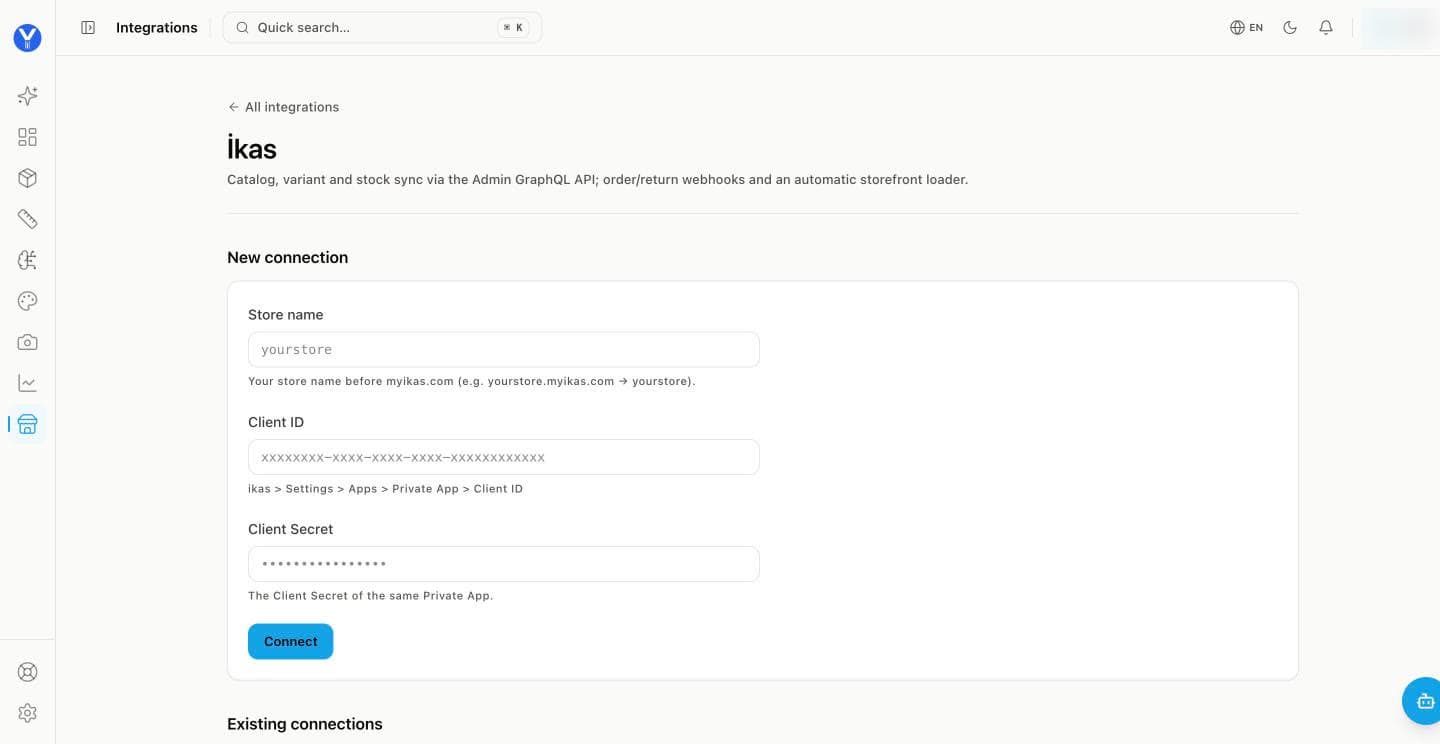
Create a private app in ikas. In ikas go to Settings → Apps → Private App and create one. Keep its Client ID and Client Secret open.
Enter your store name. The part before myikas.com — for yourstore.myikas.com that is yourstore.
Paste the Client ID and Client Secret, then click Connect. The catalogue import starts and order / return webhooks are registered.
Nothing to paste into the theme. The storefront loader is installed for you through the theme’s script slot, and it reinstalls itself if it goes missing. Storefront changes take a few minutes to clear the cache.
What syncs and what is written back
- Install
- OAuth app connection. The sizing widget’s storefront script is installed for you and reinstalls itself if it goes missing; a small storefront script also routes the native return entry point into the ResReturn portal.
- What syncs
- Products and variants, orders and line items, order status transitions, delivery state.
- What we write back
- Refunds, partial refunds, store credit as a readable coupon code.
- Notes
- Storefront overrides are applied through the theme’s script slot, so the portal link replaces the platform’s built-in return action. Storefront changes take a few minutes to clear cache.